Games can have various problems with various hardware. I had an issue with my AUX microphone cutting off from the start of each game and it only started to work ~20 minutes later.
Here’s a fix that works for me. I do this everytime I start Reforger (the game, not when switching servers) and I do not have any microphone issues anymore.
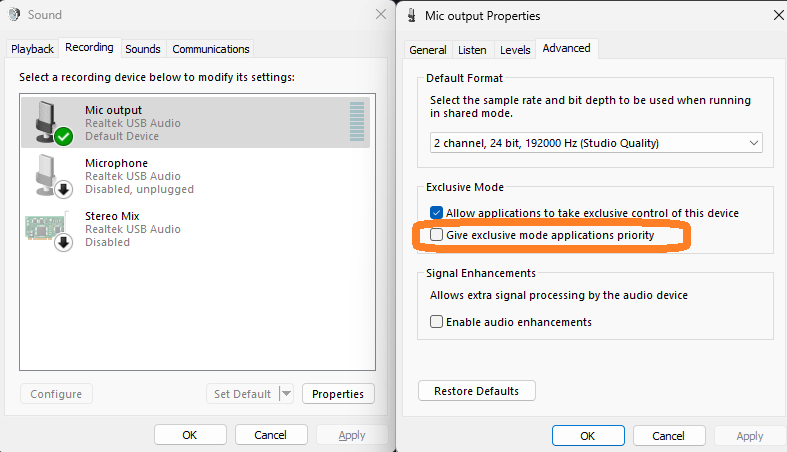
What I do is that everytime I start the game and join the server, I open sound settings in Windows and check and uncheck again this option. I always have it off and only when I begin to play, I allow it and disable it again.
- State: off (my default)
- on
- off (back to my default)
Don’t forget to apply each change at the bottom right  . I keep the top checkbox on all the time. I don’t touch the top one.